

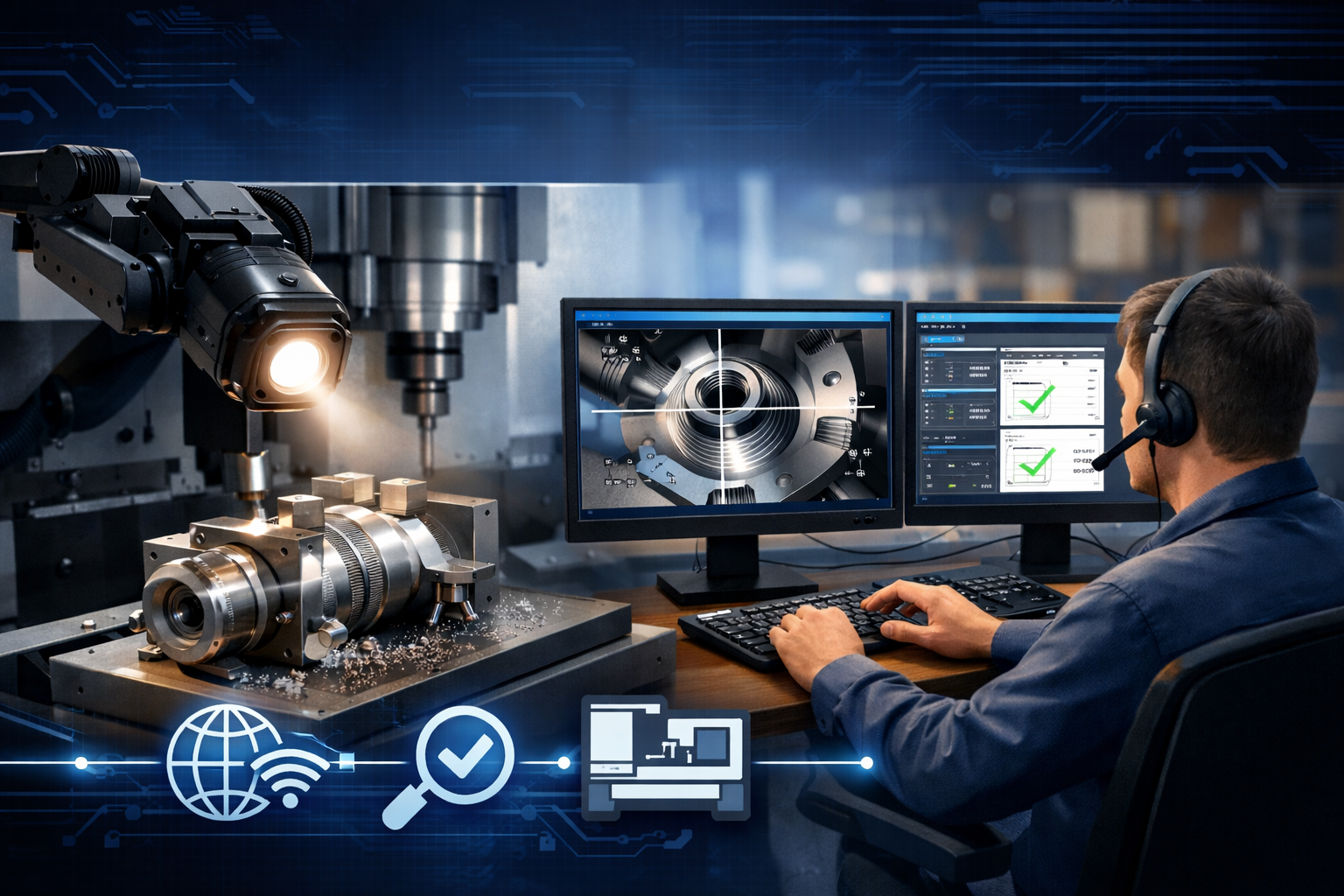
Video inspection has revolutionized quality verification for Australian manufacturers sourcing from offshore suppliers. What began as an emergency alternative during COVID-19 has evolved into a sophisticated, efficient quality control method that enables real-time, visual verification of manufacturing processes, product quality, and facility conditions from anywhere in Australia—whether you're in Melbourne, Sydney, Perth, or regional locations.
This comprehensive guide provides Australian manufacturers with everything needed to implement effective video inspection programs for remote manufacturing quality verification, including equipment selection, best practices, communication techniques, and proven procedures for conducting professional virtual inspections that deliver reliable results.
Why Video Inspection is Essential for Australian Manufacturers
Video inspection provides Australian manufacturers with cost-effective, flexible quality verification that overcomes the challenges of distance, time, and budget constraints when working with suppliers in Asia and other international manufacturing hubs.
Immediate Benefits
- • Real-time visibility: Watch production as it happens
- • Rapid response: Identify and address issues within hours
- • Cost savings: 70-90% less expensive than on-site visits
- • Frequent monitoring: Daily or weekly checks feasible
- • Expert inclusion: Multiple Australian specialists can join
- • Documentation: Record everything for later review
Strategic Advantages
- • Scale easily: Inspect multiple suppliers same day
- • Geographic flexibility: Access facilities anywhere
- • Training tool: Show suppliers what good looks like
- • Relationship building: Regular contact strengthens partnerships
- • Audit trail: Complete records for compliance/certification
- • Risk mitigation: Continue operations during travel disruptions
Perfect for Australian-Asian Supply Chains
Video inspection is particularly effective for Australian manufacturers working with Asian suppliers because time zones overlap well (Australian morning = Asian afternoon), high-speed internet is widely available in Asian manufacturing hubs, smartphones and tablets with excellent cameras are ubiquitous, and cultural acceptance of video communication is high in business contexts across China, India, and Southeast Asia.
Essential Equipment for Professional Video Inspection
Effective video inspection requires proper equipment at both the Australian buyer's location and the supplier facility. Investment in quality equipment pays dividends through clearer visibility, more reliable inspections, and better documentation.
Buyer-Side Equipment (Australian Office)
Computer & Display
- • Laptop/Desktop: Modern processor (i5/Ryzen 5 minimum), 8GB+ RAM, stable internet connection (25+ Mbps)
- • Large Display: 24"+ monitor or dual screens for viewing video while taking notes
- • Webcam: 1080p HD camera for clear communication with supplier
- • Headset: Quality headphones with microphone for clear audio, noise cancellation helpful
Software & Accessories
- • Video Platform: Zoom, Microsoft Teams, or specialized inspection software
- • Screen Recording: Software to capture inspection sessions
- • Note-Taking Tool: Digital forms, checklists, or inspection software
- • Backup Connection: Mobile hotspot for internet redundancy
Supplier-Side Equipment (Offshore Facility)
The supplier's equipment quality often determines inspection effectiveness. Australian buyers should provide clear requirements and consider financially supporting equipment upgrades for critical suppliers.
| Equipment | Minimum Spec | Recommended Spec | Cost (AUD) |
|---|---|---|---|
| Camera Device | Smartphone (12MP, 1080p video) | Tablet or 4K smartphone with stabilization | $300 - $1,200 |
| Tripod/Mount | Basic tabletop tripod | Flexible arm mount + mobile tripod | $50 - $200 |
| Lighting | Natural window light + existing facility lights | LED ring light + portable LED panels | $100 - $400 |
| Internet | 5 Mbps upload speed | 25+ Mbps upload, wired preferred | $50-150/month |
| Measurement Tools | Standard calipers, rulers | Digital calipers with display, reference scales | $50 - $300 |
| Magnification | Phone zoom capability | USB digital microscope or macro lens | $100 - $500 |
Camera Technology & Image Quality
Camera selection significantly impacts inspection effectiveness. While modern smartphones provide surprisingly good quality, certain applications benefit from specialized camera equipment.
Smartphone vs Dedicated Camera
Smartphone Cameras
Best for: General inspections, facility tours, routine quality checks
- • Already owned by supplier personnel
- • Highly portable and easy to use
- • Excellent for impromptu inspections
- • Multiple communication apps available
- • Good image quality (12MP+ standard)
- • Battery life concerns for long inspections
- • Small screen for detailed work
- • Limited stabilization when handheld
- • May struggle in low light
Dedicated Cameras/Tablets
Best for: Critical inspections, detailed documentation, specialized needs
- • Superior image quality and zoom
- • Better low-light performance
- • Larger viewing screen (tablets)
- • Longer battery life
- • Better stabilization features
- • Additional equipment cost
- • Requires supplier training
- • Less portable than phones
- • May need separate communication device
Critical Camera Specifications
- Resolution: Minimum 12MP for still images, 1080p (Full HD) for video streaming. 4K provides better detail but requires more bandwidth
- Autofocus: Fast, accurate autofocus essential for showing different components quickly. Look for phase-detection or laser autofocus
- Optical Zoom: 2-3X optical zoom helpful for showing detail without physically moving camera. Digital zoom acceptable but lower quality
- Image Stabilization: Optical or electronic stabilization reduces blur when camera is handheld, especially important for video
- Macro Capability: Ability to focus close (5-10cm) crucial for surface finish inspection, small defects, dimensional verification
- Frame Rate: Minimum 30fps for smooth video. 60fps preferred for showing moving machinery or assembly operations
Lighting & Setup for Quality Video Inspection
Proper lighting is often the difference between effective and ineffective video inspection. Many manufacturing facilities have poor or inconsistent lighting that makes visual inspection difficult through video.
Lighting Fundamentals
Three-Point Lighting
- • Key Light: Main light source, 45° from subject
- • Fill Light: Softens shadows, opposite side
- • Back Light: Separates subject from background
Professional setup for critical inspections
Portable LED Panels
- • Battery-powered for flexibility
- • Adjustable brightness and color temp
- • Easy to position and move
- • Cost: $100-300 AUD each
Best balance of quality and flexibility
Ring Light
- • Mounts around camera lens
- • Even, shadow-free illumination
- • Perfect for close-up work
- • Cost: $50-200 AUD
Ideal for detail inspection and macro work
Lighting Best Practices
- • Avoid backlighting: Never position subject between camera and bright window—causes silhouette effect
- • Diffuse harsh lights: Use white fabric or paper to soften direct overhead factory lighting
- • Color temperature matters: Use daylight-balanced LEDs (5000-6500K) for accurate color representation
- • Eliminate glare: Adjust angle of lights and camera to prevent reflections on shiny metal surfaces
- • Test before inspection: Have supplier send test photos/video to verify lighting adequacy
- • Use spotlights for detail: Focused beam helpful for highlighting specific features or defects
Inspection Area Setup
Ideal Video Inspection Station Configuration:
- • Clean, uncluttered table or workbench with neutral background
- • Camera mounted on stable tripod or flexible arm (not handheld)
- • White or light gray background eliminates distractions
- • Reference items: ruler, color chart, approved sample nearby
- • Measurement tools within easy reach
- • Multiple lighting options available for different needs
- • Wired internet connection if possible (more stable than WiFi)
- • Power supply for camera/tablet to prevent battery death
- • Charging station for portable lights
- • Backup device available in case of technical issues
- • Quality headset or speakers for clear communication
- • Quiet location away from loud manufacturing noise
Video Conferencing Platforms & Inspection Software
Selecting the right platform depends on supplier location, required features, and integration needs. Most Australian manufacturers use a combination of platforms for different scenarios.
| Platform | Best For | Key Features | Considerations |
|---|---|---|---|
| Zoom | General use, most suppliers | HD video, recording, screen share, breakout rooms | May need VPN in China. Pro plan recommended for >40min |
| Microsoft Teams | Enterprise integration | File sharing, integration with Office 365, recording | Requires supplier to have Teams. May need VPN in China |
| WeChat / WeCom | Chinese suppliers | Works in China, instant messaging, file transfer | Lower video quality. Not ideal for formal audits |
| Google Meet | Simple, quick inspections | Free for basic use, easy to join, no download needed | Blocked in China. Limited features on free plan |
| WhatsApp / FaceTime | Quick checks, informal | Very easy to use, instant connection, encrypted | No recording (WhatsApp), limited participants, informal |
| Specialized Inspection Apps | Structured quality audits | Digital checklists, automated reports, defect tracking | Subscription cost. Training required. Examples: QIMA, InSpec |
Platform Recommendation by Supplier Location
- • China: Primary: WeChat/WeCom for quick checks. Zoom with VPN for formal inspections. Backup: Tencent Meeting
- • India: Zoom or Microsoft Teams work excellently. WhatsApp widely used for informal communication
- • Southeast Asia: Zoom preferred. WhatsApp and Line also popular in different countries
- • Taiwan / South Korea: All Western platforms work well. Consider local preferences (Line, KakaoTalk)
Step-by-Step Video Inspection Procedures
Structured procedures ensure consistent, thorough inspections that capture all critical information. Develop standard operating procedures tailored to your specific products and suppliers.
Pre-Inspection Phase
1-2 Days Before Inspection:
During Inspection Phase
Opening (5-10 minutes)
- • Confirm all required participants present and can see/hear clearly
- • Review inspection scope and confirm what will be shown
- • Start recording (with permission) and note inspection ID, date, time, participants
- • Request overview of production status, quantity completed, timeline
General Overview (10-15 minutes)
- • Show overall batch/pallet arrangement and quantity verification
- • Verify product identification: labels, markings, part numbers match PO
- • Document packaging condition and protection measures
- • Show random sampling selection process (avoid cherry-picking)
Detailed Inspection (30-60 minutes)
- • Systematically inspect each critical feature from checklist
- • Request close-up views of critical dimensions, surface finishes, defect areas
- • Observe actual measurement process (not just see results)
- • Ask supplier to demonstrate functionality, fit, assembly as applicable
- • Compare against approved samples, photos, or drawings on screen
- • Document any non-conformances with clear photos/video and description
Process Observation (15-30 minutes)
- • If applicable, observe actual production operations (machining, assembly, testing)
- • Verify process parameters match specifications (speeds, temperatures, pressures)
- • Check operator training, work instructions, quality procedures in use
- • Observe in-process inspection and documentation practices
Closing (10-15 minutes)
- • Summarize inspection findings: conforming items and any issues identified
- • For any non-conformances, discuss corrective action and timeline
- • Confirm next steps: rework, additional inspection, shipment authorization, etc.
- • Request supplier send additional photos, measurement data, or certificates via email
- • Thank supplier team and schedule follow-up if needed
- • Stop recording and save file with proper identification
Post-Inspection Phase
Within 24 Hours of Inspection:
- • Prepare formal inspection report documenting findings, measurements, photos
- • Issue pass/fail decision or conditional acceptance with corrective actions required
- • Send report to supplier with clear next steps and deadlines
- • Update internal systems (ERP, QMS) with inspection results and status
- • Archive recording and supporting documentation in organized file system
- • For failed inspections, schedule re-inspection date and communicate requirements
- • Communicate status to internal stakeholders (purchasing, production planning, management)
Effective Communication Techniques for Video Inspection
Clear, precise communication is critical for successful video inspection, especially when working across language barriers and technical terminology. Australian inspectors must be skilled communicators to get the information they need.
Effective Communication
- ✓ Use simple, clear language avoiding idioms or slang
- ✓ Speak slowly and clearly—don't rush through instructions
- ✓ Use visual aids: point to drawings, show reference photos on screen share
- ✓ Give specific, concrete instructions: "Show me the top surface in bright light"
- ✓ Confirm understanding: "Can you repeat what I asked for?"
- ✓ Use measurement numbers rather than subjective terms when possible
- ✓ Be patient—allow time for translation, interpretation, or clarification
- ✓ Demonstrate what you want: use your hands, show examples
- ✓ Provide positive reinforcement when supplier does something correctly
- ✓ Maintain professional, respectful tone even when discussing problems
Communication Pitfalls to Avoid
- ✗ Using technical jargon without explanation
- ✗ Speaking too quickly or unclearly (mumbling, bad audio)
- ✗ Vague requests: "Check the quality" vs "Measure the diameter"
- ✗ Multiple instructions at once—give one direction at a time
- ✗ Assuming supplier understands—always confirm comprehension
- ✗ Subjective quality terms: "looks good" vs specific criteria
- ✗ Getting frustrated or impatient with language difficulties
- ✗ Forgetting cultural differences in communication style
- ✗ Interrupting while supplier is trying to respond or show something
- ✗ Being confrontational or accusatory about defects found
Working with Language Barriers
Many Asian suppliers have limited English proficiency. Strategies for successful communication:
- • Use translators: Include bilingual team member on calls or use professional translation service for critical inspections
- • Visual communication: Share screen showing drawings, photos, measurements—pictures transcend language
- • Pre-translated checklists: Provide inspection points in local language so supplier knows what to expect
- • Standard phrases: Learn basic quality terms in supplier's language (good/bad, measure, check, show me)
- • Written follow-up: Always send written summary of verbal discussions—easier to translate than real-time speech
- • Translation apps: Google Translate camera function useful for reading labels, documents shown on video
Recording & Documentation Best Practices
Comprehensive documentation turns video inspections from informal checks into professional quality records that support certification, compliance, and continuous improvement. Australian manufacturers should maintain rigorous documentation standards.
Recording Requirements
Essential Recording Practices:
- Always record formal inspections: Video recording provides objective evidence, helps with later review by team members who couldn't attend, and protects against disputes about what was shown or said
- Get permission first: Inform supplier at beginning of call that you're recording. Most suppliers accept this as standard business practice
- Use local recording: Record on your computer using Zoom/Teams built-in recording or separate screen recording software—don't rely only on cloud recording
- File naming convention: Use systematic names: [Date]-[Supplier]-[Product]-[Type]. Example: "2025-01-21-ABC_Manufacturing-Bracket_Assembly-PSI"
- Storage & retention: Save recordings to secure network drive with appropriate access controls. Retain for minimum of production run duration plus warranty period
- Timestamps matter: Ensure recording shows date/time. Some platforms overlay this automatically; others require manual notation
Inspection Report Components
Comprehensive Inspection Report Should Include:
- • Inspection date, time, and duration
- • Supplier name and facility location
- • Product description and part numbers
- • Purchase order or contract reference
- • Participants (inspector names, supplier personnel)
- • Inspection type (PPI, DPI, PSI, etc.)
- • Quantity inspected vs total quantity
- • Sampling method and sample size
- • Checklist of inspection points with results
- • Measurements with actual vs specification
- • Photographic evidence (embedded or referenced)
- • Any non-conformances found with severity rating
- • Overall result: Pass / Conditional Pass / Fail
- • Summary of conforming items
- • Detailed description of any defects or issues
- • Root cause analysis where applicable
- • Corrective action requirements and deadlines
- • Authorization status (approved for shipment or hold)
- • Link to video recording location
- • Still photos extracted from inspection
- • Measurement data sheets
- • Certificates (material, calibration, etc.)
- • Reference drawings or specifications
- • Inspector signature and supplier acknowledgment
Live Interactive vs Pre-Recorded Inspection
Both live and recorded video inspections have their place in a comprehensive quality program. Understanding when to use each approach optimizes efficiency and effectiveness.
| Aspect | Live Interactive Inspection | Pre-Recorded Video Inspection |
|---|---|---|
| Control | Inspector directs what to show in real-time | Supplier controls what is filmed |
| Flexibility | Can ask follow-up questions, request different angles | What's recorded is all you get—no ability to ask for more |
| Scheduling | Requires coordination of time zones and availability | Supplier records when convenient, you review anytime |
| Cost | Uses inspector time during live session (1-2 hours) | Inspector reviews recording at convenient time (can fast-forward) |
| Quality | May have connectivity issues, time pressure | Can be filmed multiple times until quality is good |
| Objectivity | More objective—inspector sees what happens | Risk of supplier showing only good items/angles |
| Best Use Case | Critical inspections, new suppliers, problem resolution | Routine checks, trusted suppliers, in-process monitoring |
| Multiple Reviewers | All reviewers must attend live (or watch recording later) | Recording can be shared with unlimited reviewers |
Hybrid Approach Recommended
Most Australian manufacturers find success with a hybrid model:
- • Live for critical milestones: Pre-production approval, first article, final pre-shipment inspection
- • Recorded for routine monitoring: In-process checks, batch-to-batch verification for repeat orders
- • Unannounced live checks: Occasionally schedule surprise live inspections to verify recorded videos accurately represent conditions
- • Escalate when needed: If recorded video shows concerns, follow up with live interactive session to investigate
Common Video Inspection Challenges & Solutions
Challenge: Poor Video Quality / Blurry Images
Causes: Low camera resolution, poor lighting, unstable handheld camera, low internet bandwidth
- • Require minimum 1080p camera, preferably 4K for critical detail work
- • Add supplementary lighting (LED panels, ring lights) to inspection area
- • Use tripod or mount—never accept handheld video for formal inspections
- • If bandwidth limited, reduce video resolution during live call but request high-res photos sent separately
- • Ask supplier to clean camera lens—surprisingly often overlooked!
Challenge: Connection Drops / Frozen Video
Causes: Weak WiFi signal, shared bandwidth, firewall issues, platform blocked in region
- • Request supplier use wired ethernet connection instead of WiFi when possible
- • Schedule inspection during off-peak hours for facility internet usage
- • Have backup mobile data connection ready (4G/5G hotspot)
- • For China: use WeChat/WeCom as backup if Zoom/Teams struggling with VPN
- • If connection repeatedly fails, switch to pre-recorded video with very detailed instructions
Challenge: Can't See Critical Details / Features
Causes: Insufficient magnification, poor focus, inadequate lighting for small features
- • Provide USB digital microscope for surface finish and fine detail inspection (cost: $200-500)
- • Request close-up still photos in addition to video—can capture higher detail than video streaming
- • Use macro lens or phone with good macro mode for small features
- • Employ angled lighting to highlight surface defects, scratches, or texture
- • For dimensional verification, accept written measurement data with video showing measurement process
Challenge: Supplier Not Showing Everything / Cherry-Picking
Causes: Supplier trying to hide defects, misunderstanding of sampling requirements, desire to "save time"
- • Be explicit about random sampling: "Show me boxes from different pallets/production dates"
- • Direct the selection process live: "Open the third box from the left"
- • First show overall batch arrangement before close inspection—helps verify quantity
- • Occasionally conduct unannounced inspections to verify consistency with scheduled ones
- • Build trust over time—suppliers with good track record earn less scrutiny
- • Use third-party inspector for critical shipments if trust concerns exist
Video Inspection Best Practices Summary
Equipment & Setup
- Invest in quality equipment—clear video is worth the cost
- Always use tripods/mounts for stable, clear video
- Ensure adequate lighting—add supplementary lights if needed
- Test connections before scheduled inspection time
- Have backup communication methods ready
Communication
- Speak clearly and slowly, especially with language barriers
- Use visual aids—share screen with drawings, photos
- Give specific, concrete instructions one at a time
- Confirm supplier understanding before proceeding
- Maintain professional, respectful tone throughout
Process & Procedures
- Send detailed agenda and checklist in advance
- Always record formal inspections for documentation
- Follow systematic checklist to ensure completeness
- Document findings in formal report within 24 hours
- Archive all recordings and photos systematically
Continuous Improvement
- Gather feedback from team and suppliers to refine process
- Compare video findings to on-site audits when possible
- Train suppliers on better video inspection techniques
- Update checklists based on lessons learned
- Invest in better equipment as benefits justify cost
Implementing Video Inspection: 30-Day Action Plan
Australian manufacturers can implement effective video inspection programs within 30 days following this structured approach:
Week 1 Planning & Requirements
- • Define which suppliers and products will use video inspection
- • Review product specifications to create inspection checklists
- • Select video conferencing platform based on supplier locations
- • Purchase necessary equipment for Australian office (webcam, headset, large monitor)
- • Assess supplier equipment capabilities—identify gaps
- • Set up file storage and documentation system
Week 2 Supplier Engagement & Equipment
- • Communicate new video inspection requirements to suppliers
- • Send equipment specifications and lighting requirements
- • Decide which suppliers need equipment support and order items
- • Create inspection procedures and checklists specific to each product
- • Develop communication scripts/guides for inspectors
- • Set up recording and archiving procedures
Week 3 Training & Testing
- • Train Australian inspection team on procedures and platform
- • Conduct training sessions with suppliers (video setup, lighting, communication)
- • Run test inspections with each supplier to identify issues
- • Refine procedures based on test results and feedback
- • Create visual guides and reference photos for suppliers
- • Establish reporting templates and documentation standards
Week 4 Launch & Optimization
- • Begin live video inspections with selected suppliers
- • Start with lower-risk products while building experience
- • Document lessons learned from first inspections
- • Address any equipment or process issues immediately
- • Gather feedback from both inspectors and suppliers
- • Update procedures and expand to additional products/suppliers
Ready to Implement Video Inspection?
Fedele Autocore offers video inspection services and can train your team on effective remote quality verification techniques for Asian manufacturing partners.
Frequently Asked Questions
What camera resolution do I really need for quality inspection?
For general inspection, 1080p (Full HD) video with a 12MP still camera is minimum. This provides adequate detail for most manufacturing quality checks. For critical aerospace/medical components or fine surface finish inspection, consider 4K video capability and 20MP+ stills. However, higher resolution requires better internet bandwidth—if supplier has limited connectivity, prioritize stable 1080p over choppy 4K. The key is having good lighting and stable mounting—these matter more than maximum resolution.
Should we pay for supplier equipment upgrades?
For strategic suppliers with high-volume or critical parts, yes—investing in their video inspection capability pays dividends. Budget $500-1,500 AUD per supplier for smartphone/tablet, tripod, LED lighting, and digital calipers. This one-time investment enables unlimited inspections. Include language in supply agreement that equipment remains your property or must be used exclusively for your inspections. For low-volume or commodity suppliers, work with their existing equipment first and upgrade only if inspection quality is inadequate.
How long should a typical video inspection take?
Duration depends on complexity and quantity. Typical ranges: Simple components (fasteners, brackets): 30-45 minutes for pre-shipment inspection. Moderate complexity (machined parts, assemblies): 60-90 minutes. Complex products (multi-component assemblies, critical aerospace parts): 90-120 minutes. First-time inspections take longer as you establish procedures. Regular repeat inspections become faster as supplier learns your requirements. Build in buffer time for technical issues and communication challenges. It's better to schedule 90 minutes and finish in 60 than rush through important checks.
What if supplier's internet connection is terrible?
Multiple strategies exist: Switch to pre-recorded video instead of live—supplier films when connection is good, uploads to cloud storage (Google Drive, Dropbox), you review later. Use mobile data backup—have supplier use phone's 4G/5G hotspot if WiFi is weak. Lower video quality during live calls—reduce from 1080p to 720p or even 480p if needed; request high-resolution still photos separately. Schedule during off-peak hours when facility internet has less congestion. For critical suppliers, consider supporting dedicated internet connection upgrade—dedicated business line costs $50-150/month but ensures reliable communication.
Can video inspection replace third-party inspection services?
Video inspection complements but shouldn't completely replace third-party services. Use video inspection for: frequent in-process monitoring, routine pre-shipment checks for established suppliers, rapid response to quality questions, and cost-effective verification when travel isn't justified. Continue using third-party inspectors for: new supplier qualification, first-time product launches, suppliers with quality history concerns, critical high-value shipments, and annual supplier audits. Many Australian companies use a hybrid: monthly video inspections with quarterly third-party physical inspections. This maximizes oversight while controlling costs.
How do we verify measurements are accurate when we can't physically check?
Use multiple verification methods: Watch the measurement process live—see them actually measuring, not just showing results. Require digital calipers/micrometers that display readings clearly to camera. Send calibration artifacts—supplier measures known standard, proves their equipment is accurate. Request measurement data sheets in addition to video showing process. Periodically verify with physical samples—randomly request samples shipped to Australia for verification. Compare measurements across multiple operators/shifts to identify inconsistencies. For critical dimensions, consider portable CMM with cloud data upload—measurements transmitted directly to you, eliminating human transcription errors. Build trust over time—suppliers with consistent good results earn more trust.
What's the learning curve for implementing video inspection?
Most Australian teams become proficient within 4-6 inspections. Initial inspections take longer as you learn to communicate effectively, identify what camera angles/lighting work best, and refine checklists for your specific products. Suppliers also improve quickly once they understand your requirements. Plan for: Week 1-2: Slower inspections, more communication challenges, technical troubleshooting. Week 3-4: Noticeably smoother process, better anticipation of needs. Month 2-3: Efficient inspections, established communication rhythm, refined procedures. Keys to faster learning: Detailed preparation, patient communication, learning from each inspection, consistent procedures, and regular practice. Don't expect perfection immediately—it's a learned skill but the investment in initial training period pays off in long-term efficiency.
Related Resources
Remote Quality Verification Methods for Australian Buyers
Comprehensive guide to all remote verification technologies and methods.
AS9100D Suppliers Outside Australia: Complete Verification Guide
Expert guide to verifying aerospace quality management systems remotely.
India vs China CNC Machining for Australian Projects
Compare quality, costs, and capabilities for offshore CNC sourcing.
Explore Our Video Inspection Services
Professional video inspection services for Australian manufacturers.